

Bill Pay
Pay Your Bills Online
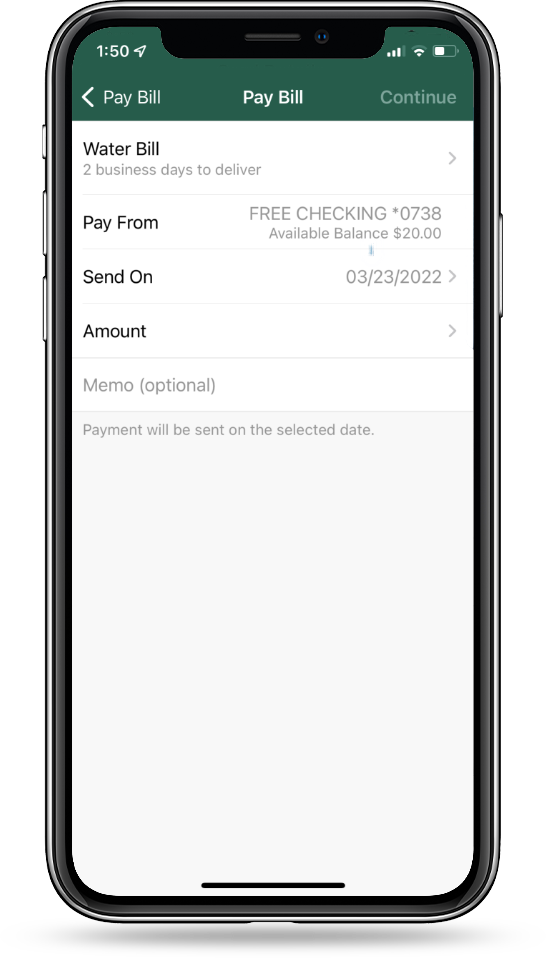
Using Bill Pay in Chambers Digital Banking is a fast and easy way to make payments without the hassle of writing checks. At any time, from any computer, you can get your bills paid!
Learn how to set up and manage Bill Pay with ease. View the Guide

Pay your bills online with peace of mind and easily monitor payment information.

Set up automatic email notifications to alert you when payments have been made.

Set up repeating payments to be paid automatically from your account.

Stop the waiting game for checks to be delivered and never be late for a payment again.
Take Control With Auto-Pay
eBills are electronic versions of paper bills. An eBill arrives from the biller into your Chambers Bank Bill Pay account (just like a paper bill arrives in your mailbox). By using Chambers Bank Bill Pay, you can view all of your bills – including account balances, transactions and statements – in one convenient location. You can also set up email alerts to notify you when a new eBill arrives in your Bill Pay account. To securely link a payee account with Bill Pay, enter your online userID and password from the designated payee, and select a billing frequency.
Note that it may take up to two billing cycles to receive an eBill, so continue to make your payments as scheduled until you receive an eBill.
Set-Up Auto PayTake Control With Auto-Pay
There are two types of payments you can schedule automatically:
Auto-Pay in response to an eBill, or Auto-Pay at regular intervals.
Auto-Pay in Response to an e-Bill
An automatic payment that you set up to be paid every time you receive an eBill without requiring approval each time. You can pay the full bill, pay the minimum due, pay nothing and file the bill, or create your own rule for how the bill gets paid. You can also select when to pay the bill – either when the bill arrives or a designated number of days before the bill is due (10 days is the default).
Auto-Pay at Regular Intervals
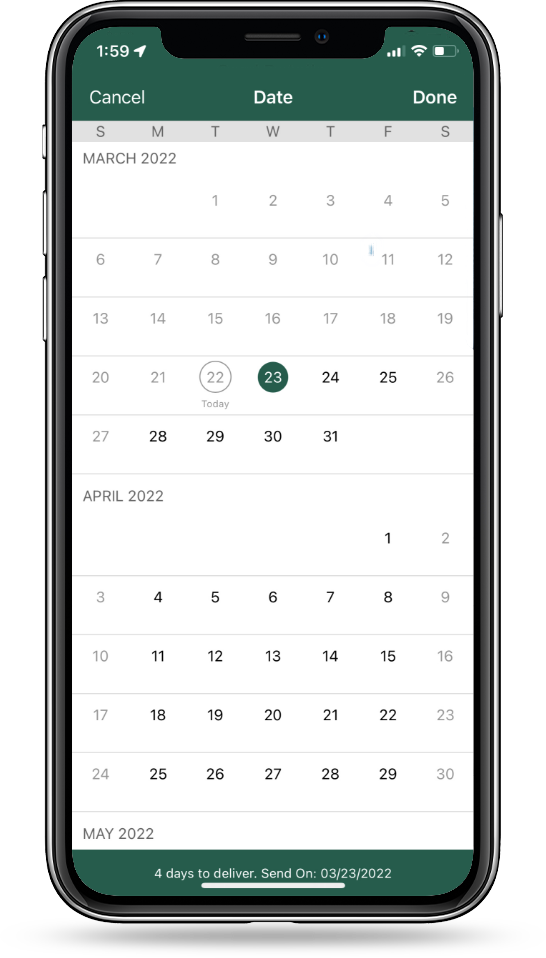
A payment that gets paid by establishing the time period when the payment should be made, along with other supporting payment details. You can specify the amount, the frequency, the start date and the end date or the number of payments to make. For example, you could have us schedule a payment for your car loan in the amount of $300 on the 1st of every month for the next 36 months.
Never Fall Behind with Reminders
Reminders are not payments… they simply remind you when it is time to take action. You can set up single or recurring reminders and select how often you wish to receive reminders.
To set up Reminders, select the Payee (shown in green) and choose “Add reminder.” You will select when you want to receive the reminder (default is 10 days prior to due date). You can enter an estimated amount due (optional) and change the amount before you pay.
Enroll in Bill PayTake Control of Your Finances
Explore some of the other ways Chambers can help you manage your money.

People Pay
An easy, quick and convenient way to pay anyone, anytime by using Chambers Bank Digital Banking or with the Chambers Bank Mobile App! With a few clicks on your computer, tablet or smartphone, you can pay anyone – no matter where they bank – via a text message or email.

Saving Cents
An easy way to make everyday purchases part of your savings strategy. All you need is a Chambers Bank checking account with a debit card and a Chambers Bank savings account, and you can start saving today.

Card Controls
Take charge of your Chambers Bank debit card anytime, anywhere—with powerful, built-in Card Controls. Whether you’ve misplaced your card or just want extra peace of mind, this feature gives you the ability to manage your card instantly from your phone or computer.